Text completion shortcuts
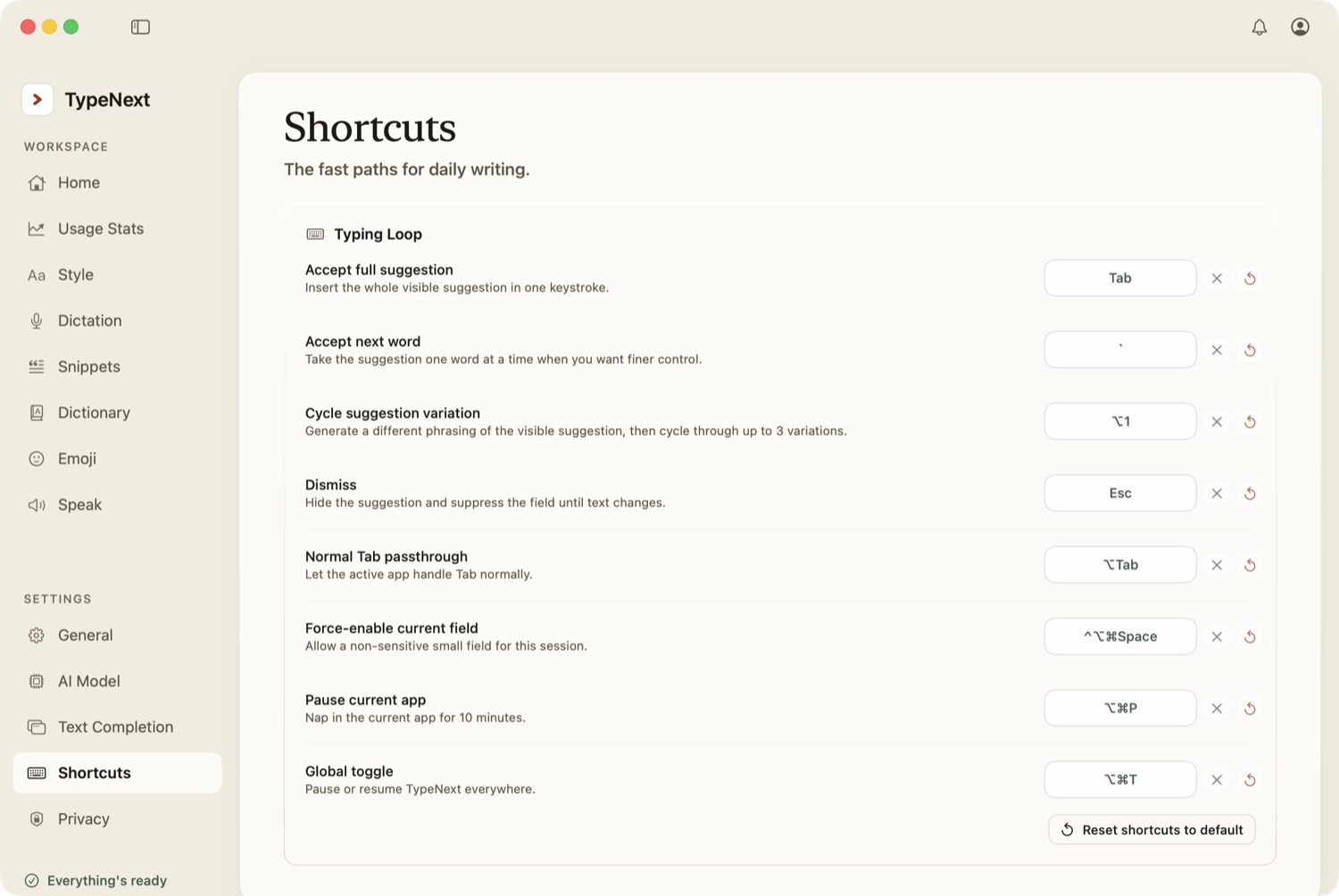
- Tab — insert the whole suggestion.
- ` (backtick) — insert just the next word.
- Esc — dismiss the suggestion.
- ⌥Tab — pass a real Tab through without accepting the suggestion.
- ⌥1 — cycle to a different phrasing of the current suggestion.
Control shortcuts
- ⌥⌘T — turn TypeNext on or off everywhere.
- ⌥⌘P — pause TypeNext in the current app for ten minutes.
- ⌃⌥⌘Space — force-enable TypeNext in the current field.
- ⌥⌘S — read the selection aloud.
Dictation
The dictation trigger key defaults to fn (function). Hold it and speak to dictate. Change it in Settings → Dictation, not in Shortcuts.
Customize shortcuts
Every shortcut above can be changed. Open Settings → Shortcuts and click any shortcut to rebind it. TypeNext will prompt you to press the new key combination.
When you rebind a shortcut, pick a combination that doesn't collide with the apps you use most.