How style works
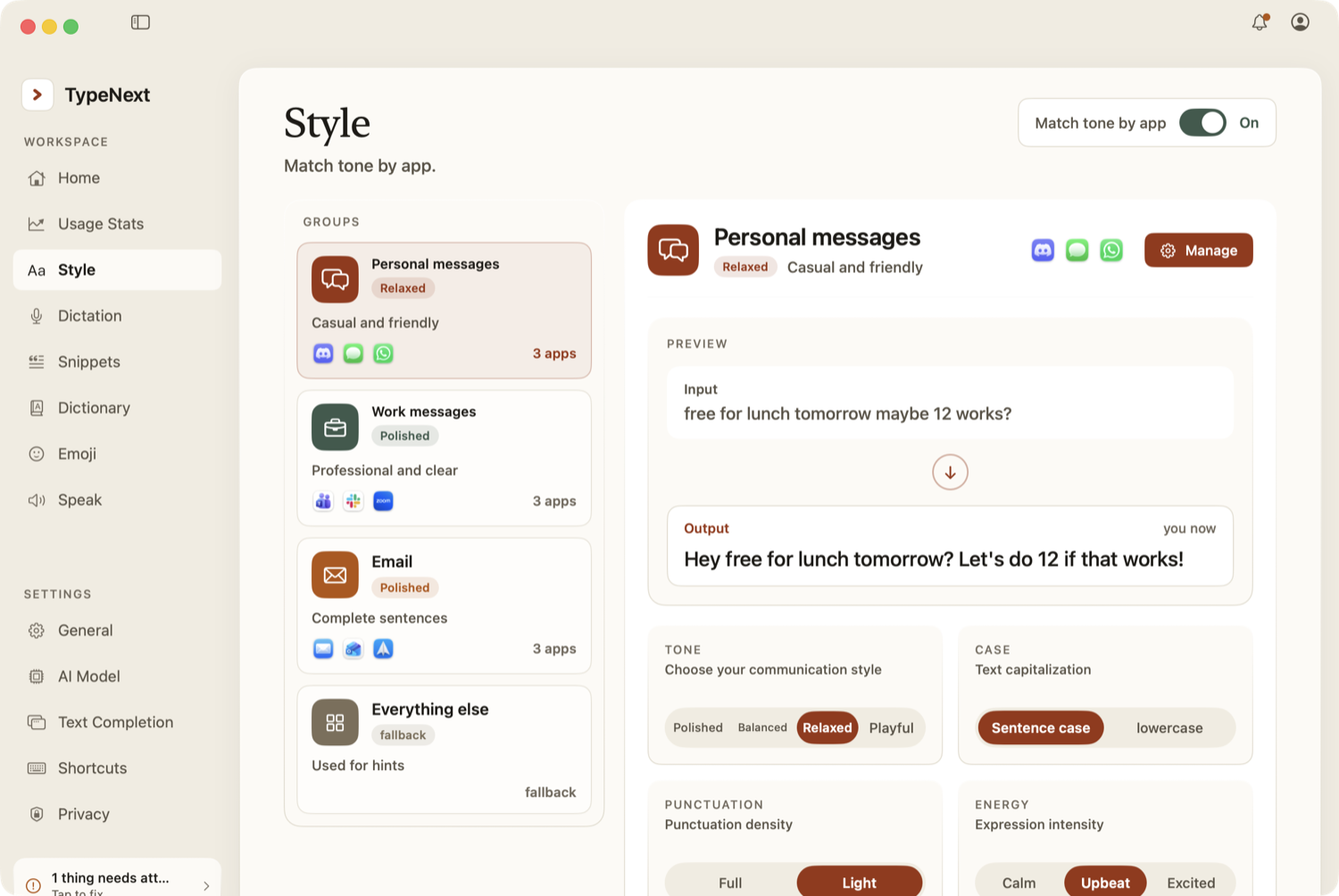
TypeNext sorts apps into four categories: Personal messages, Work messages, Email, and Everything else. For each category, you set a tone, capitalization, punctuation level, and energy. Suggestions then match those settings, whether they appear in text completion or dictation cleanup.
Configure style per category
Go to Settings → Style to adjust each app category:
- Tone — Polished, Balanced, Relaxed, or Playful.
- Case — Sentence case or lowercase.
- Punctuation — Full or Light.
- Energy — Calm, Upbeat, or Excited.
A live preview shows you the effect in real time.
Toggle style on or off
The master switch "Match tone by app" sits in the Settings window header. Turn it on to use style per category, or off to ignore style and use default suggestions.
Style only affects text completion and dictation cleanup. The raw transcription of your speech is controlled by the cleanup level in Settings → Dictation.