The picker
:fire
- 🔥:fire
- 🎆:fireworks
- 🧯:fire_extinguisher
↑↓ pick · ⇥ insert · esc
Insert emoji with shortcodes
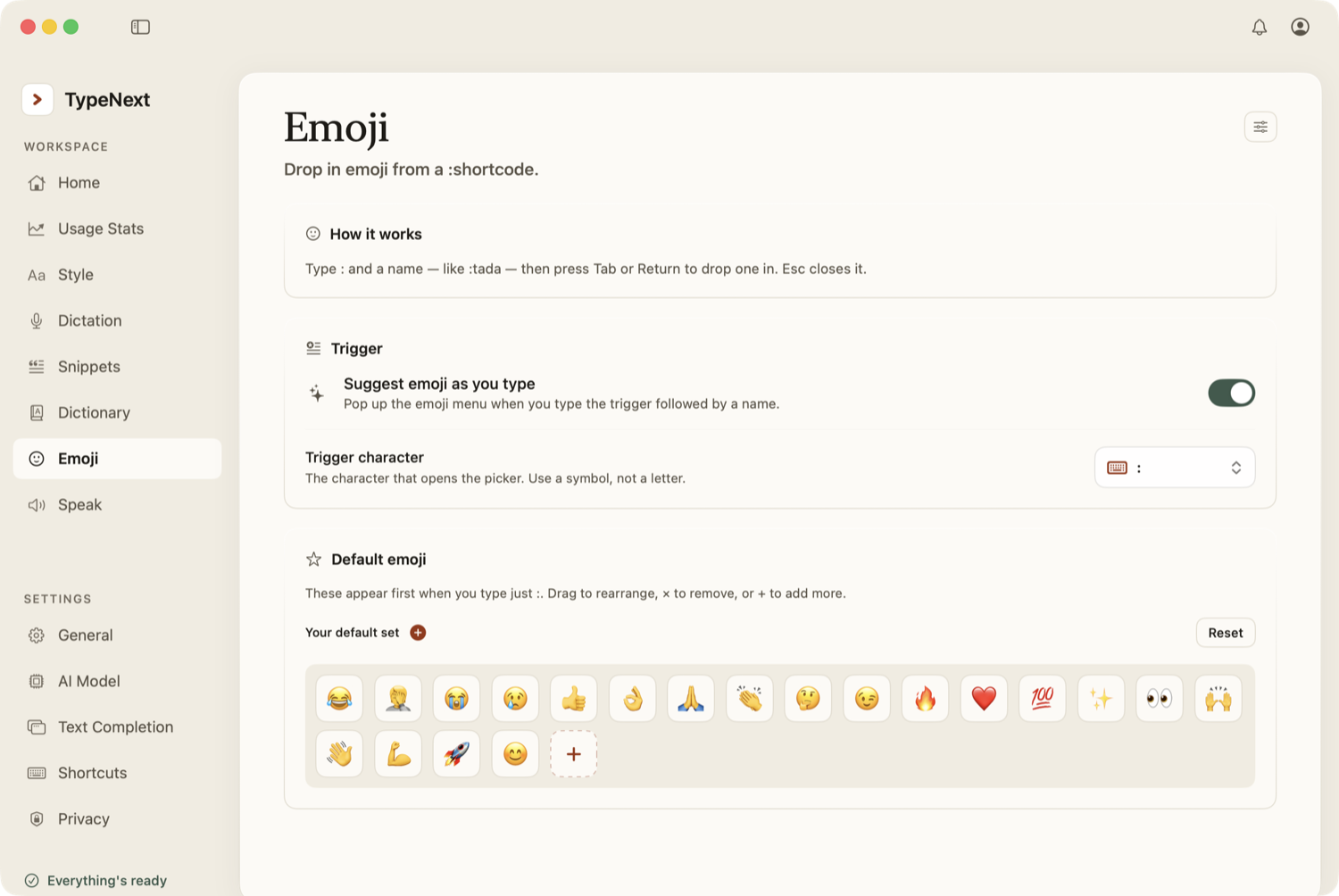
Type a colon followed by at least two letters to open a small emoji picker. For example, :fire brings up fire emoji options. Use the arrow keys to browse, press Tab or Return to insert, or press Esc to dismiss.
Type just a colon on its own to see a grid of your favorites and popular emoji.
Change the trigger character
By default, emoji shortcodes start with a colon. You can change this to any single non-letter character — a semicolon, slash, or whatever you prefer — in Settings → Emoji.
Customize emoji appearance
In Settings → Emoji, open the customization sheet (the gear icon in the Emoji card) to:
- Set a default skin tone for emoji that support it.
- Set a default gender for emoji that support it.
- Choose whether the picker shows the plain (neutral) version alongside variants.
Where emoji shortcodes work
The emoji picker appears in almost all text fields. It does not appear in secure fields like password inputs.